The Acer Swift 5 (SF514-55T-71NL), equipped with the 11th generation of Intel processor, has many advantages of a high-end notebook: a featherweight of just under a kilogram, a full screen HD touchscreen, WiFi 6 compatibility, a Thunderbolt 4 port, insane battery life, a 512 GB SSD etc. In short, at nearly 1,400 euros according to the resellers, the consumer is entitled to expect fault-free performance, and we must admit that we were able to observe very few weaknesses during our test.
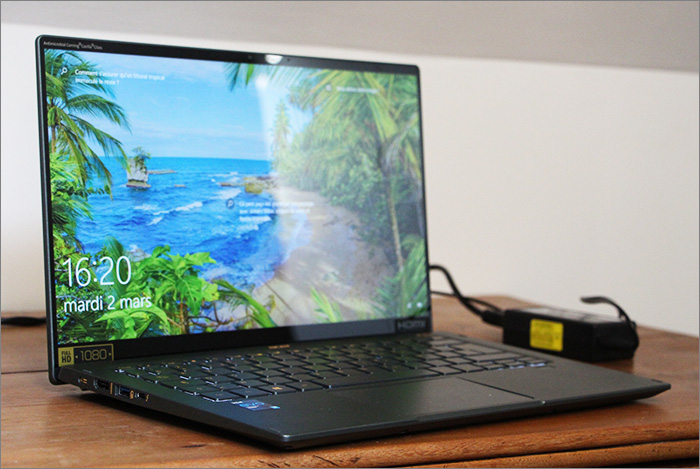
When unpacking, the Swift 5 immediately stands out for its lightness (990 grams on the scale) and a very classic design, where its hull is shared in green gray and a few shades of beige gold.
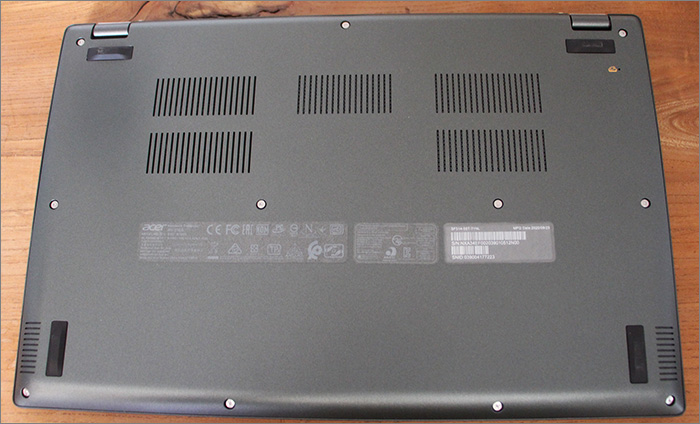
The ventilation openings are located below, and the assembly rests on four rubber pads. In our testing, the PC has a slight tendency to heat up on the left side, but the ventilation seems to do its job, without causing too much noise in exchange.
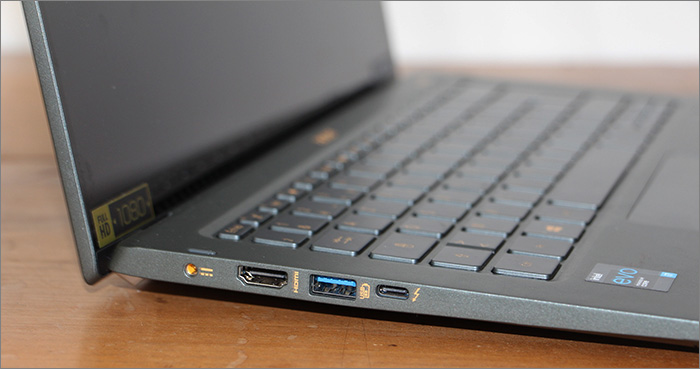
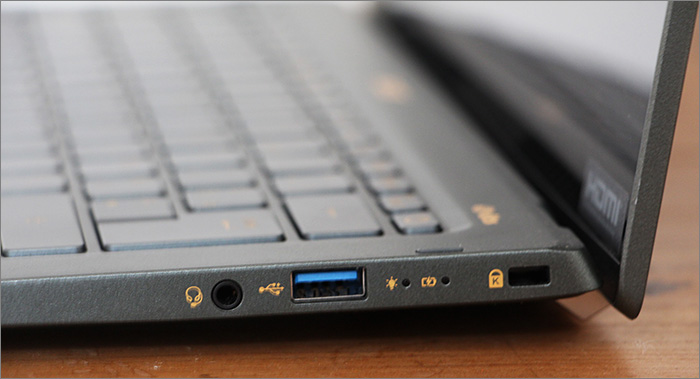
In order to connect to other devices, this Acer benefits, in addition to Thunderbolt 4, from two USB 3.2 Generation 1 inputs, one of which is capable of charging a device with the computer off, a 5V USB charger, an Audio combo jack input / micro and an HDMI 2.0 input.
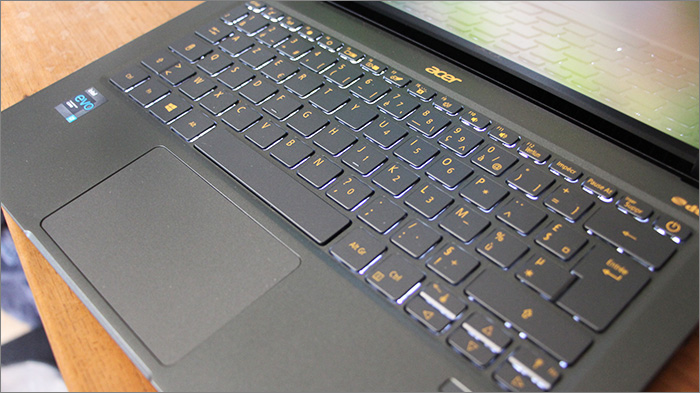
The keyboard may be a little tight: it is sometimes difficult to be sure that the key you just pressed is the one you were aiming for. However, it is still quite comfortable to use once you get used to it, and has a large number of shortcuts, failing to have a numpad. Fortunately, these shortcuts don’t require you to press the FN key in order to be used. The backlight is activated or deactivated via one of them, but no trace of an adjustment on several levels.
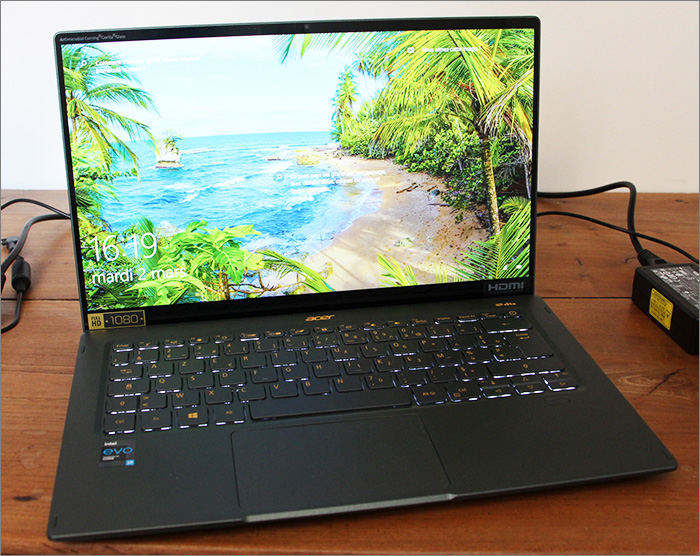
The Acer Swift 5 comes with a very pleasant 14 inch Full HD (1920 x 1080 pixels) touch screen for surfing the internet in relaxed mode. The shiny panel has the qualities of its disadvantages: in an outdoor environment, your eyes will tire more quickly because of the many reflections. On the other hand, in a relatively dark environment, watching series and films is a real pleasure, because the colors stand out much better. In addition, there is a certain immersion, because the edges of the screen are ultra thin, with a chassis / screen ratio of 90%. Just enough to make room for an HD webcam.
Performance at the rendezvous, even in game
In use, the Acer Swift 5 is extremely pleasant to use. It offers fluidity at all times and great responsiveness. It will hardly be pushed to the limit, even with three or four applications launched at the same time (of course while remaining reasonable on said applications). Note that we have tested the version with 16 GB of Ram, and that there is a version only equipped with 8 GB. The impression of fluidity is reinforced by the Windows Hello feature which allows you to connect with a pressure of the thumb on the fingerprint detector.
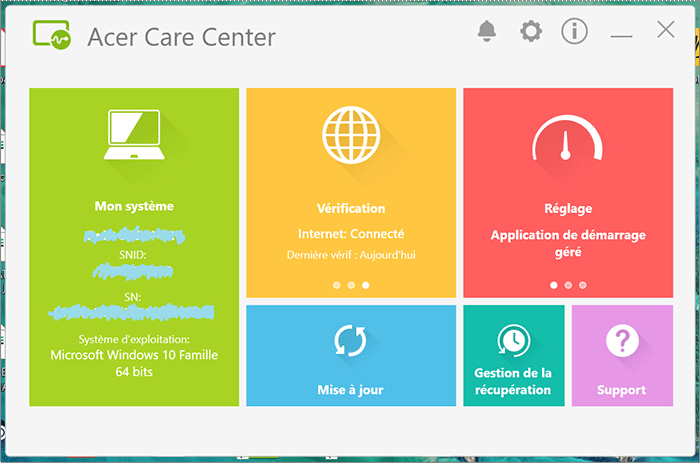
Among the few faults of the machine, there are some software that we could avoid putting in PCs, such as a link to the Booking site in the toolbar … or even Norton and a Dropbox subscription offered, but nothing too intrusive after a few minutes of cleaning. You can also rely on the Acer Care Center, a management software provided by the manufacturer. It allows you to perform updates and checks of the health of the battery, SSD and memory.
Put to the test, the Acer Swift 5 comes out handily, with a score of 2186 on Novabench, slightly below the Dell XPS 13 9310, a much more expensive 13-inch computer, which however has the same Intel Core i7-1165G7 processor. With Geekbench, we get 1539 in single engine and 5859 in multicore. Still on Geekbench, he obtained an excellent score of 18,479, which makes you want to launch a few games to put him to the test.
After checking, you can indeed launch a large part of your game library on it in Full HD, which, for a PC without a graphics card, remains a plus. By what magic is this made possible? The integrated graphics processor, the Intel Iris Xe Graphics, is no stranger to this feat. On low-poly 3D games (with poorly detailed textures) like Valheim, Risk of Rain 2, Fall Guys, it flirts with 60 frames per second (IPS). Even on The Witcher 3, a slightly aging title but still graphically demanding, it manages to display everything in an average level of detail, but with a certain fluidity (30/40 IPS).
Gargantuan autonomy
We haven’t yet touched on this Notebook’s greatest strength: its gargantuan battery life. As usual on , here he is connected to Wifi, brightness set to 50% and sound to 40%, direction Microsoft Edge to launch Casa de Papel on Netflix, until the battery runs out.
Rather, it was she who failed to exhaust us: it was not until 3:44 p.m. in the robbery in a red suit that he went out, placing him at the top of our ranking of the best autonomy, ahead of the Lenovo Yoga Slim 7, which had held almost 2:30 p.m. In addition, the Fast Charge solution allows in 30 minutes of connection to reach 4 hours 30 minutes of autonomy.
For a little less in 14-inch format, but also less autonomous, we can be tempted by the Matebook 14 from Huawei, with a definition of 2160 x 1440 pixels. Another option, more expensive but which has more options, such as an infrared camera and Full HD + definition, you could turn to the Dell XPS 13 2021.
In the end, this Acer Swift 5 has been able to make people forget its small non-crippling faults such as its modest connectivity or its minimalist keyboard, 14 inches obligatory, to highlight the main qualities that one expects from a laptop of this size. It surprises in the first place with a featherweight and a design that allows us to consider taking it everywhere.
On the other hand, this is not done to the detriment of performance, nor of its equipment, which allowed it to obtain the Intel Evo certification. The icing on the cake, it does not only offer a decent range, but quite simply displays the best performance measured on our latest models tested.
