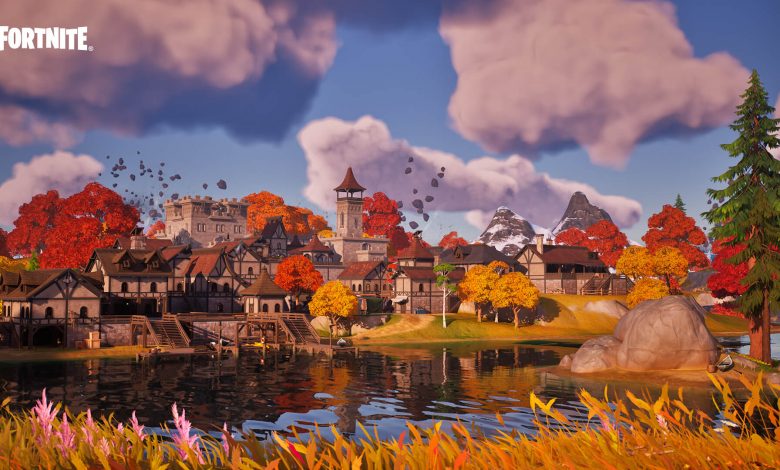
Fortnite Battle Royale Chapter 4 is here! In addition to new features, this new chapter marks the transition to Unreal Engine 5 in its latest release, Unreal Engine 5.1, with many innovative features at its core.
Unreal Engine 5 represents a true generational leap in terms of graphics quality, with a level of detail never before seen in virtual worlds, including Battle Royale Island. Next-gen Unreal Engine 5 features such as Nanite, Lumen, Virtual Shadow Maps, and Super Time Resolution are now available in Fortnite Battle Royale on PlayStation 5, Xbox Series X|S, PC, and Cloud Gaming!
Nanite, Lumen, Virtual Shadow Maps, and Temporal Super-Resolution: Details
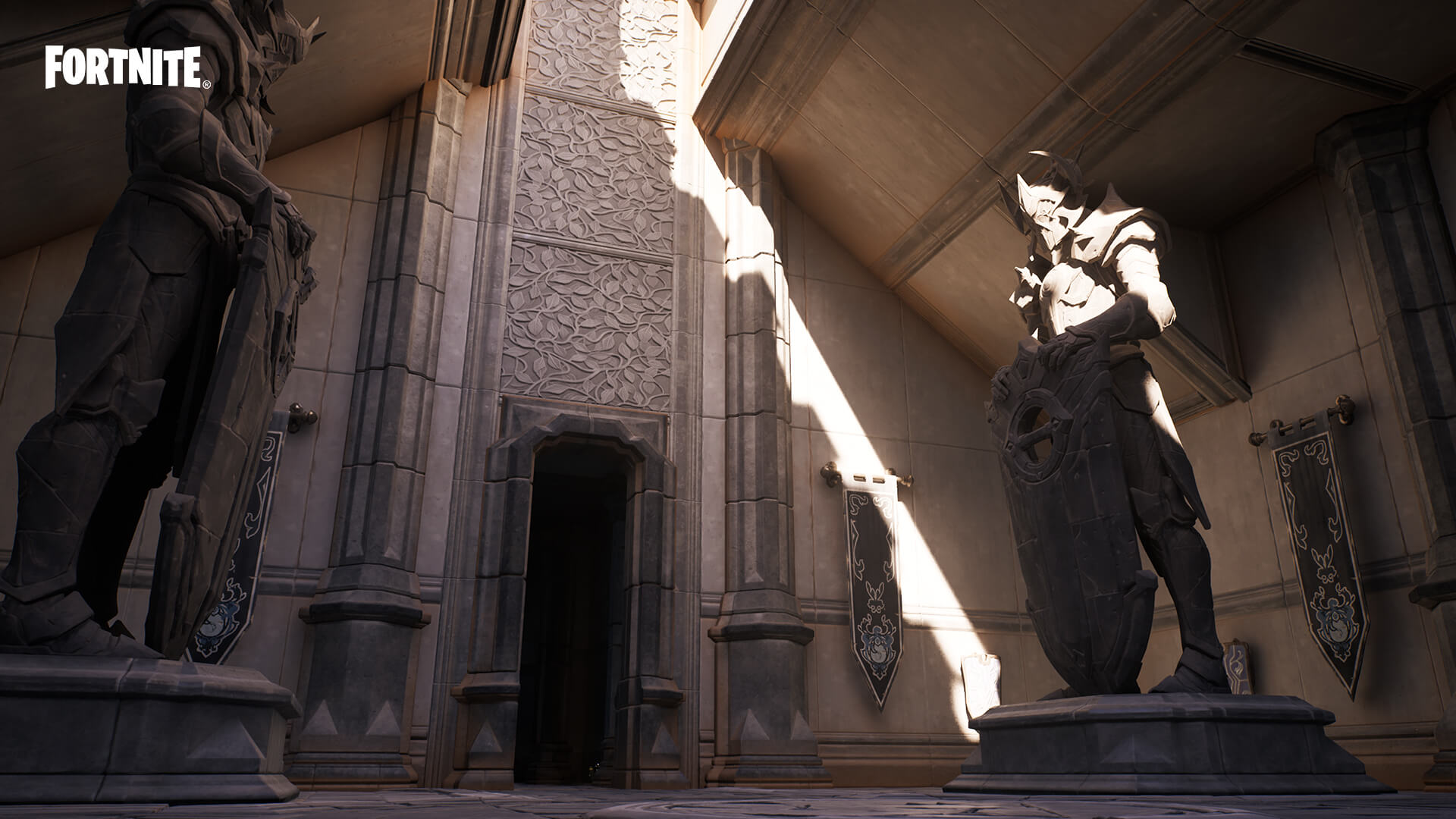
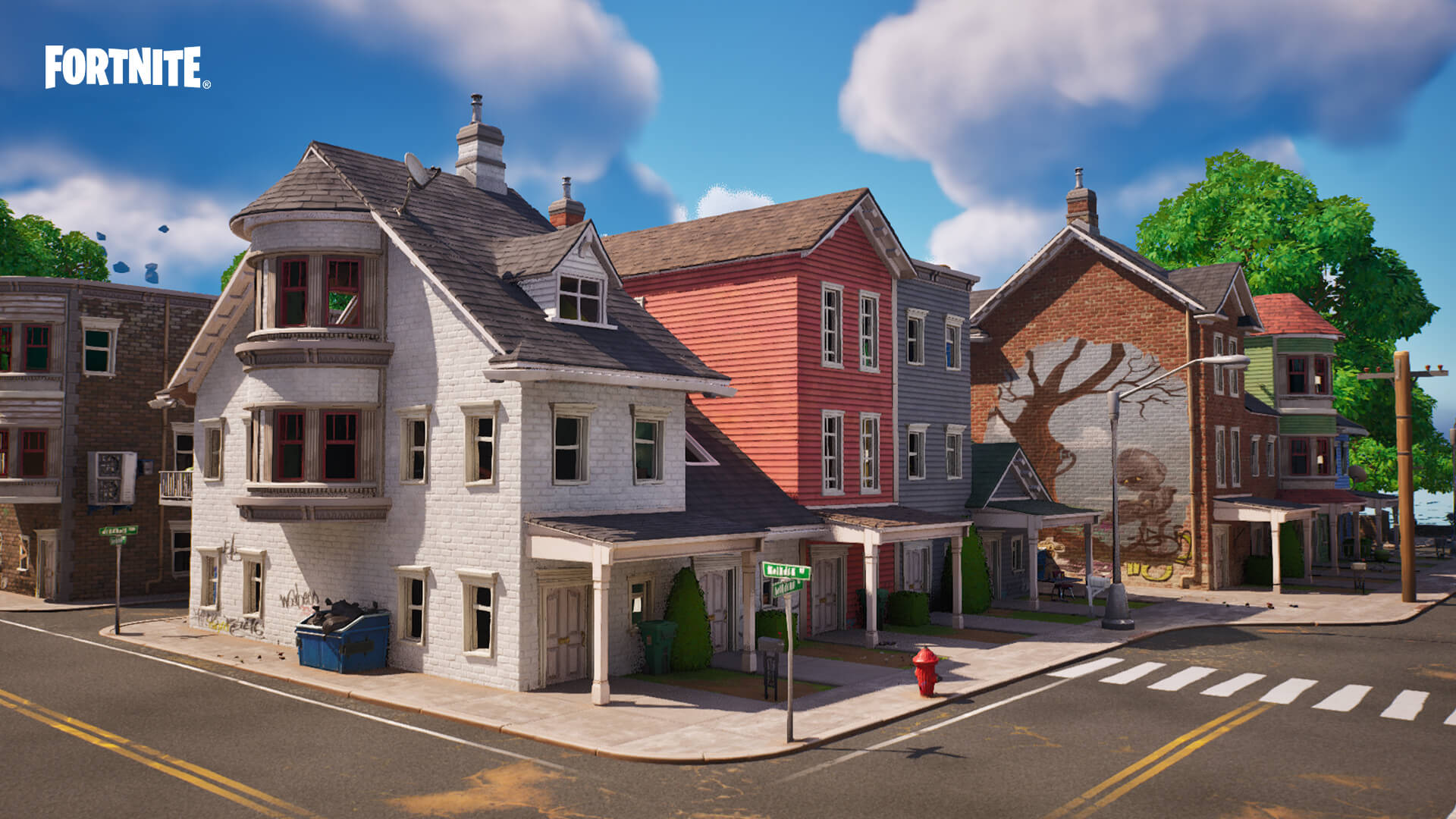
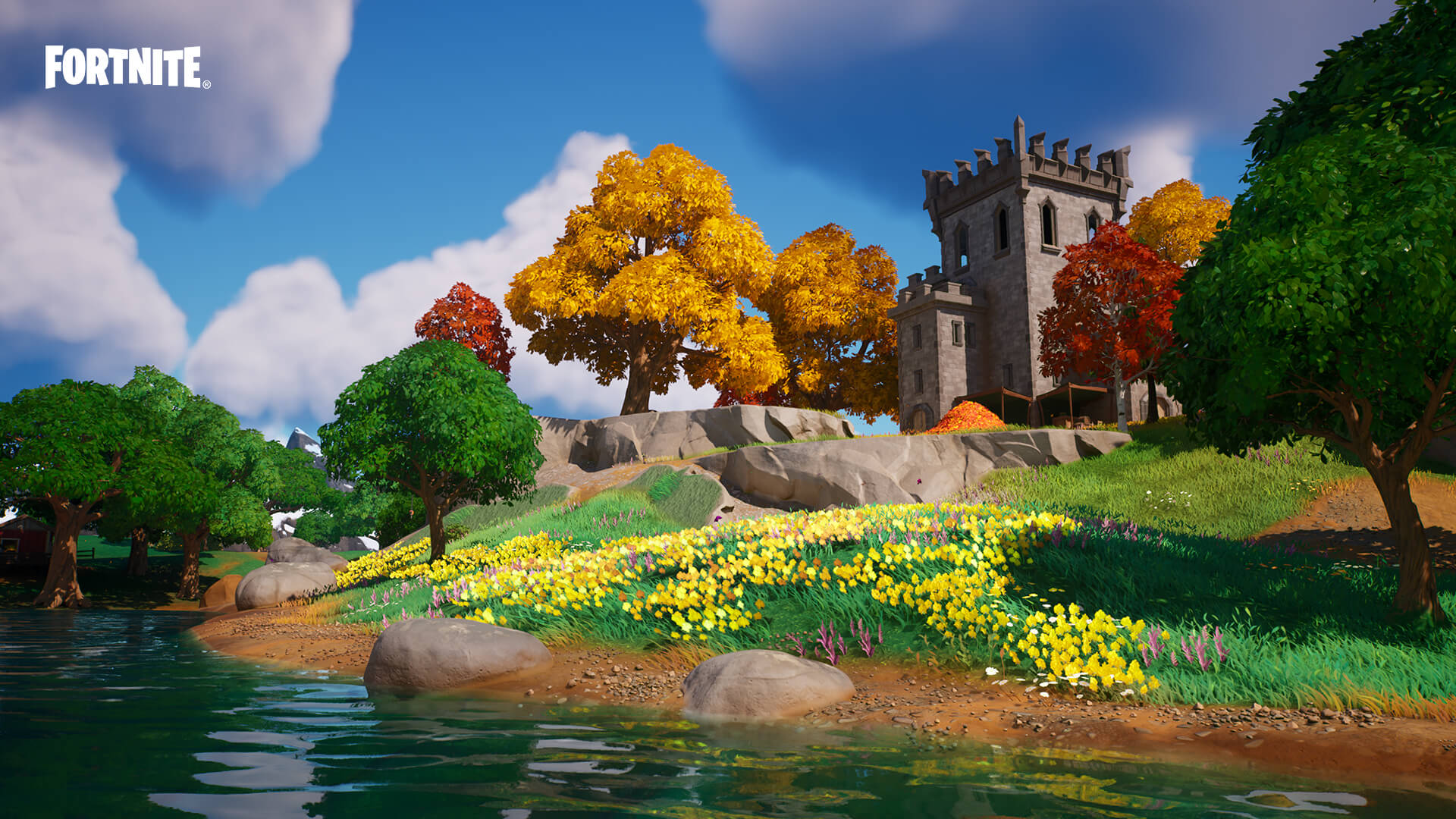
What is the effect of the new UE5 features in Fortnite Battle Royale? You can find technical explanations below or just behold the images!
Nanite
Nanite has very detailed architectural geometry. Buildings are rendered from millions of polygons in real time, where every brick, stone, wood plank or wall segment is modeled.
Natural landscapes are also incredibly detailed: up to 300,000 polygons on trees, and every pebble, flower or blade of grass is modeled.
Lumen
Lumen offers high-quality ray-traced reflections on shiny materials and water.
Lumen also provides real-time global illumination at 60 frames per second. You will be able to see beautifully detailed interiors with lighting that bounces off surfaces, as well as characters that react to ambient light. (For example, red carpets reflect red light onto your outfit.) In addition, outfits with glowing details now emit light onto nearby objects and surfaces.
Virtual shadow maps
Virtual shadow maps allow you to create highly detailed shadows. Every brick, leaf, and modeled object casts a shadow, and the shadows the characters cast on themselves are extremely accurate. This means that hats and other small details of the characters cast shadows.
Temporal Super Resolution (TSR)
Temporal Super-Resolution is an enhancement to Fortnite’s Temporal Anti-Aliasing (TAA) that helps produce high quality graphics at high frame rates.
Fortnite on Unreal Engine 5: image gallery
Change graphics settings on PC
The addition of UE5 features to Fortnite Battle Royale has resulted in a change to Fortnite’s graphical settings on PC:
Viewing the graphics settings section
Render mode option
-
It has been moved from the “Advanced graphics settings” section to the “Display” section.
-
DirectX 12 is now the default rendering mode on PCs with some graphics cards.
-
The performance rendering mode is no longer in beta. It’s now called “Performance - Image Quality Reduced”.
V-sync option
Graphics section of graphics settings
Motion blur option
-
It has been moved from the “Advanced Graphics Settings” section to the “Graphics” section.
-
It is disabled by default.
-
The “Auto quality setting” option under “Graphics quality” will never enable this setting, but may disable it on a PC with low performance.
Graphics quality section in graphics settings.
Temporal super resolution option
Variant with virtualized Nanite geometry
-
Only available when the render mode is set to DirectX 12.
-
This option will activate the nanite.
-
Set to “Yes” by default if the quality preset is set to “High” or “Epic”.
-
This setting cannot be changed in-game.
Global illumination option
-
Enables Lumen global illumination when set to High or Epic.
-
When Nanite is disabled, this option only offers two settings: Off or Ambient Occlusion. Ambient occlusion reduces the quality of the ambient light, darkening the corners.
-
When Nanite is activated, additional settings are added: Lumen - High and Lumen - Epic.
-
This setting cannot be changed in-game.
Highlights option
-
Turns on Lumen backlight when set to High or Epic.
-
When Nanite is disabled, this option only offers two settings: Off and Screen Space. Screen space only calculates reflections of what is currently displayed on the screen.
-
When Nanite is activated, additional settings are added: Lumen - High and Lumen - Epic.
Hardware ray tracing option
-
Hardware ray tracing provides global illumination and Lumen highlighting for machine-driven ray tracing. (The Hardware Ray Tracing option in the Graphics Quality section has replaced the Ray Tracing section.)
-
It is disabled by default.
-
To enable hardware ray tracing:
-
You need to enable Nanite Virtualized Geometry.
-
You need to set Global Illumination or Highlights to Lumen - High or Lumen - Epic.
-
-
Enabling or disabling this option requires a restart of the game for the changes to take effect.
Automatic quality control
-
Selecting automatic quality settings sets most graphics quality settings to Low, Medium, High, or Epic, and sets global illumination and reflections.
-
Sets Anti-Aliasing & Super Resolution to Low TSR, Medium TSR, High TSR, or Epic TSR and Temporal Super Resolution to Recommended.
Note. DLSS is temporarily disabled in Fortnite on PC while we check if it works properly with UE5 features.
FAQs of Nanite, Lumen, Virtual Shadow Maps and Temporal Super-Resolution
Are Nanite, Lumen, Virtual Shadow Maps, and Super Temporal Resolution available on custom maps and Save the World?
Nanite, Glow, and Virtual Shadow maps are currently unavailable on designer maps and Save the World. On the other hand, temporary super-resolution is available.
What is the minimum configuration to use Nanite on a PC?
What is the recommended configuration for using Nanite on a PC?
If I play Fortnite on PlayStation 5 or Xbox Series X|S, do I need to do anything to make Nanite, Lumen, Virtual Shadow Maps, or Super Time Resolution available?
For Nanite, Lumen, Virtual Shadow Maps, or Super Time Resolution to be available in Fortnite on PlayStation 5 or Xbox Series X|S, make sure 120 FPS is disabled in the Graphics section of Settings.
Attention Content Creators: Interested in creating Fortnite content in Chapter 4?
The visual changes made in Battle Royale Chapter 4 mean your audience can experience the island like never before. If your fans and viewers have only seen you play in performance mode, now is the time to show them what Unreal Engine is capable of. We have some tips for showcasing Nanite and Lumen:
-
Set the render mode to DirectX 12.
-
Automatic adjustment of graphics quality settings.
-
Adjust temporal super resolution to find the right balance between image quality and frame rate for your streaming or recording device.
Compatibility modification with older operating systems
Starting with Battle Royale Chapter 4 - Season 2, players will need to be running Windows 10 or later to officially continue playing Fortnite on PC. Windows 7 and 8 will no longer be officially compatible with Fortnite.
As Fortnite continues to evolve, we are forced to make these changes to improve our technology and better realize our vision for the future of Fortnite. The increasing risk of security vulnerabilities and the lack of up-to-date features in older operating systems cost us significant development time looking for solutions, time we don’t spend on the game itself.
If you are unable to replace the hardware, please be aware that NVIDIA GeForce NOW is a possible alternative that will allow you to officially continue playing Fortnite on a Windows 7 or Windows 8 PC.