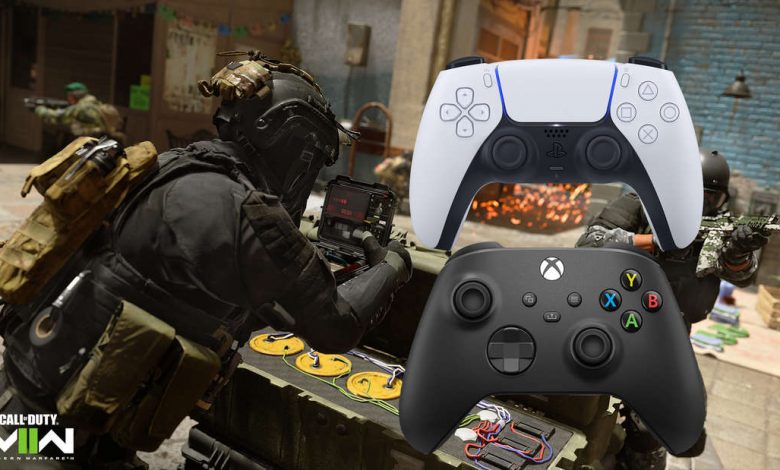
Modern Warfare 2 and Warzone 2 have options like FoV-Slider on PS4/PS5 and Xbox. The CoD Professional shows which settings are the best in MW2.
Santa Monica, California - Modern Warfare 2 gives you more console customization than any other Call of Duty game. We’ll show you what settings CoD recommends for PS4 and PS5, as well as for Xbox for graphics and controller.
MW2: Professional graphics settings on PlayStation and Xbox
Pro CoD Settings: The new Call of Duty: Modern Warfare 2 is finally out. Players jump into multiplayer and are overwhelmed by the sheer amount of settings and options on the menu. Luckily, renowned CoD pro JGOD clears things up. Here we bring you the best settings for MW2 that the expert recommends on YouTube in the new shooter whether you’re on PS4/PS5 or Xbox.
MW2 Graphics Tips: If you want to play the new CoD Modern Warfare 2 at 120fps, there are a few things you need to consider. As for the new FOV slider in MW2, consider that the higher the FOV, the less enemies appear, but you see more of the environment. In multiplayer, such a high FOV is not needed - in the spacious Warzone 2, a large FOV is more interesting if you know how to control it.
The pro shows that the field of view in the safe zone should not be fully utilized because the minimap in MW2, for example, is too far away (or even cut off). Most contrast and color settings are personal preference and depend in part on your screen.
MW2: improved HUD options and readability settings for a better view
Select these readability options in MW2: Many “readability” settings are left at default. If you don’t see certain colors, you can change them here. But some parameters must be changed, the professional advises. A little further down the menu, you’ll also find important settings regarding your interface and click behavior.
CoD Modern Warfare 2 Controller Settings - For Better Experience on PS4/PS5 and Xbox
Key Assignment: Which key performs which action is often preferred. In addition, the type of controller on which you play is important (standard or with additional manipulators). However, the professional identifies 3 key tasks: tactical (reverse), missed (reverse) and tactical missed (reverse). You can also assign each controller key separately (own Alt).
The swapping of the L1/R1 and R1/R2 keys depends on each of them. However, the expert recommends aiming and shooting with the front keys: upside down. This will help you quickly get to the desired functions with your index finger. Here are the recommended controller settings:
Here’s how aim assist helps you in MW2: aim assist is also very important for gamepads. That’s how much MW2 helps you aim. This is the only way console gamers can match the accuracy and speed of a mouse. Here you can set how sticky your reticle will be next to enemies.
You will find the settings for this to the right of the keymap, switch the tab to “Advanced”. CoD Professional recommends the following settings:
Some of the advanced settings here may not be to your liking, even the pro warns you. So try to adapt the motion controls to your needs. But if your controller needs more than 0.1 in the “input dead zone” before it responds properly, you will need a new controller (keyword: stick drift).
Soon we will provide you on ingame.de with the best sound settings, i.e. Steps. In the meantime, here you can see how to quickly level up the first season battle pass in warzone 2 and MW2.